
All Clients | Specific Clients

From your host group admin site, you can conduct a usage report to view your client’s utilization of the risk management platform.
Accessing Usage Reports for all Clients
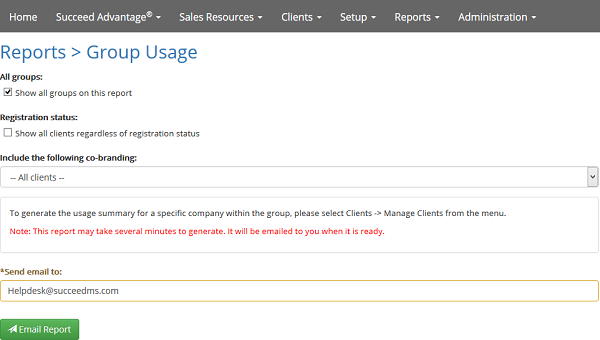
- From the Reports menu, select Group Usage
- To view clients from all groups on the report, leave the box checked next to Show all groups on this report
- To view all clients on the report regardless of registration status, check the box next to Show all clients regardless of registration status
- To only view clients from a certain co-branding profile, select the profile from the drop-down menu under Include the following co-branding
- Enter the email to send the report to in the Send email to field
- Click Email Report
Accessing Usage Summary for a Specific Client
- From the Clients menu, select Manage Clients
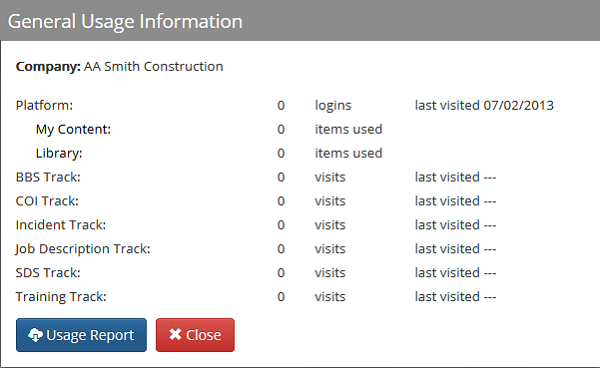
- Select the company you want to view the usage summary for, and click the Usage icon

- Click Usage Report to download a report of the usage summary
Comments
0 comments
Please sign in to leave a comment.