
My Content Inbox allows you to send documents directly to the administrators of an account within the platform. These documents can be added to My Content by the administrators unless they are marked as private.
Sending a Document
- Select My Content Inbox from the Setup menu in the administration site navigation bar
- Begin typing and select the desired client name in the Organization field
- Click the New button in the upper-right to send a document
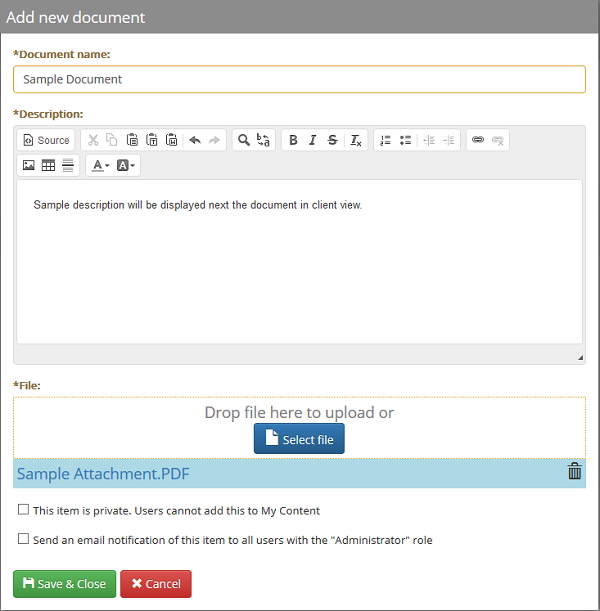
- Enter at least a Document Name and upload a File
- Optionally enter a description, set the document as private, or send email notifications
- Click Save & Close to send the file
Deleting a Document
- Select My Content Inbox from the Setup menu in the administration site navigation bar
- Begin typing and select the desired client name in the Organization field
- If necessary, search for the desired document(s) by name
- Select the desired documents using the check boxes on the left
- Click the Delete button in the upper-right
- Click Yes in the confirmation dialog
Comments
0 comments
Please sign in to leave a comment.