
Enable Ask the HR Expert for a Client
In order to enable Ask the HR Expert for a client, you must have first setup the client.
- Select Clients from the navigation bar, and then select Manage Clients from the drop-down menu
- Search to find the desired client, and then select the name of the client
- Scroll to the bottom of the Basic Info section
- Check the box next to Include Ask the HR Expert
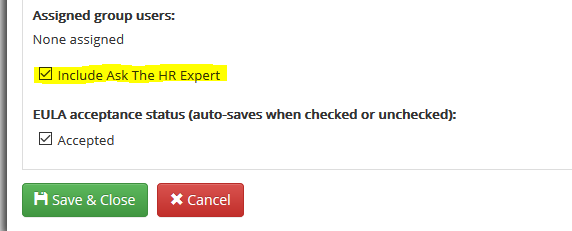
5. Select Save & Close
Comments
0 comments
Please sign in to leave a comment.